Can a receipt scanner add purchases to my expense tracker?
A café receipt in your pocket or a grocery receipt at the bottom of a tote should not become homework later. Take a photo and Dolly reads the merchant and amount, then suggests a category. You can correct everything before it enters your ledger.
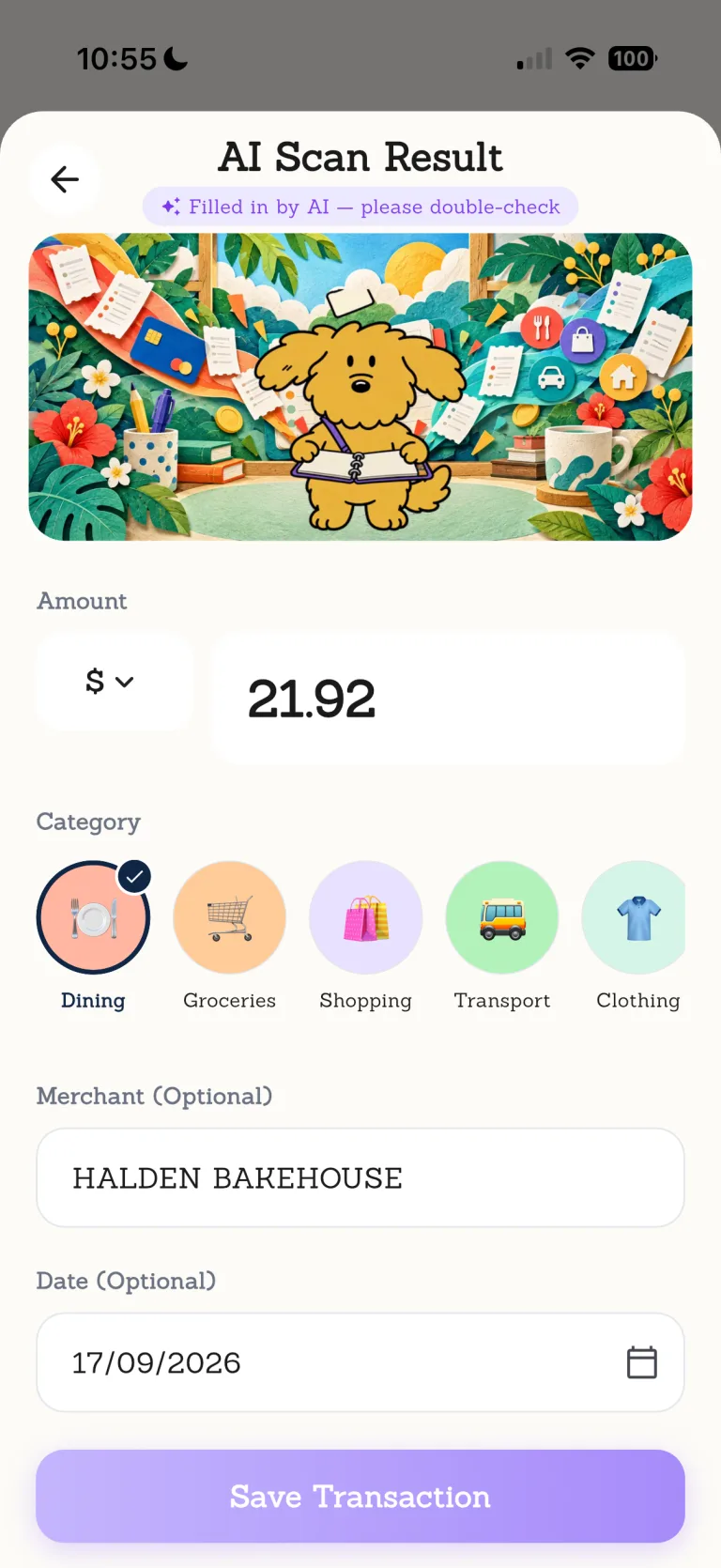
Turn a piece of paper into a quick check instead of another line to retype. A scan never posts by itself: the last decision stays with you.

Ordinary days are worth keeping.
From a coffee on the commute to groceries on the way home, Dolly helps put the small purchases of real life in order.
Every step leaves room for you to check.
- 01
Photograph the receipt
Open the scanner and take a clear photo.
- 02
Let Dolly organize it
Dolly reads the merchant and amount and suggests a category.
- 03
Check the details
Correct the text, date, category or payment method if needed.
- 04
Confirm the purchase
The record enters your ledger only after you approve it.
Know where this feature fits best.
Works well for
- Merchant and amount extraction
- Category suggestions
- Edits before saving
Good to know
- Perfect recognition of every receipt
- Saving without confirmation
- Receipt images inside an iCloud ledger backup
AI receipt scanner
Does scanning a receipt add it automatically?+
No. Dolly reads and suggests details, but you review and confirm them before the purchase is added.
Does receipt scanning need internet access?+
Yes. The receipt image is sent for processing when you use this AI feature.
Can it read handwritten or blurry receipts?+
Results depend on image quality and content. You can correct the details before saving.
Are receipt photos included in iCloud backup?+
No. Receipt images are not included in the encrypted ledger backup.