Can I import a credit card statement into a budget app?
Month-end should not mean retyping dozens of lines from a card statement. Dolly Pro can organize a supported statement PDF and compare it with records already in your ledger. If you import a statement from the getting-started screen, all of its transactions are added directly so you can start right away; you can edit or delete any of them afterwards. For statements imported any other way, you choose which transactions to add.
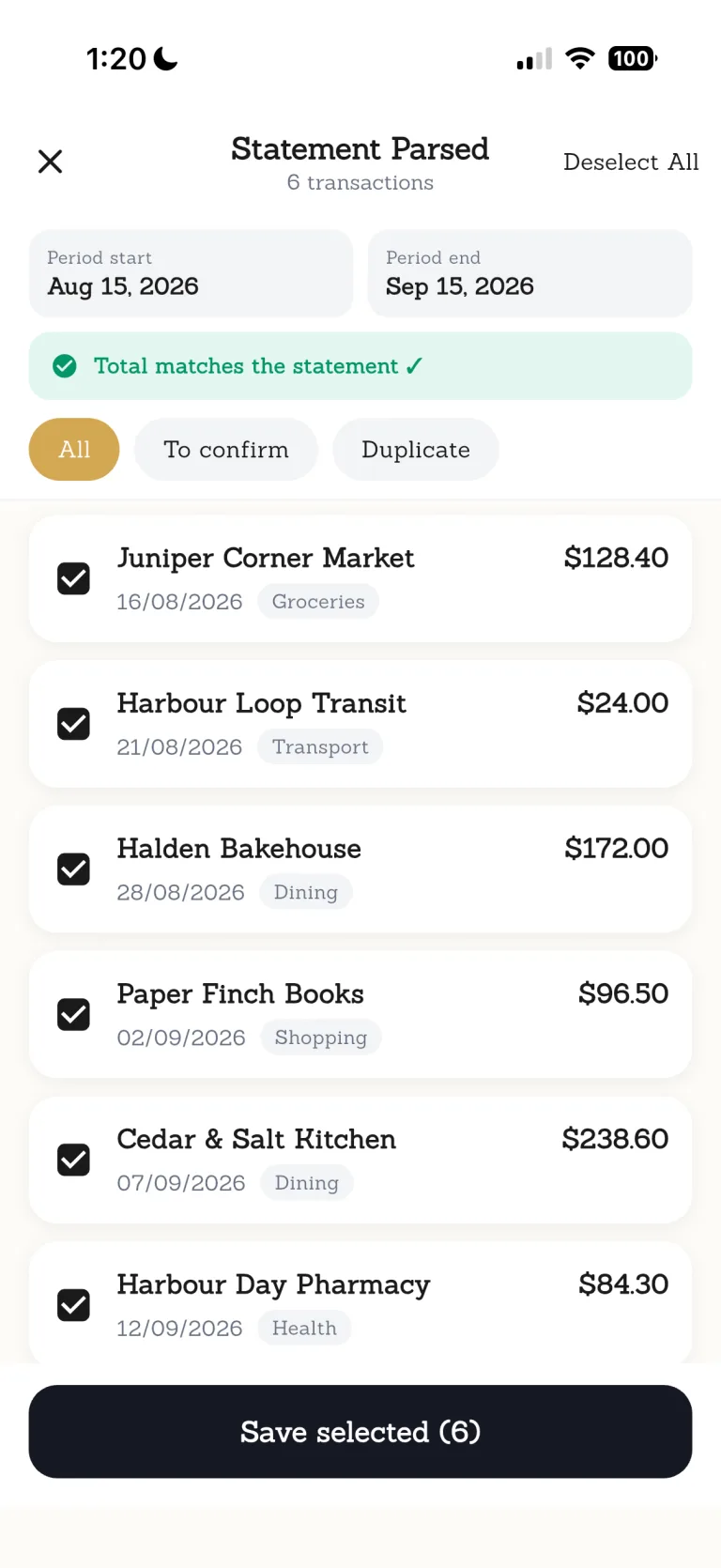

Bring the receipt, ledger and statement check into one calmer flow. Dolly shows whether it can process a statement when you import it.

Ordinary days are worth keeping.
From a coffee on the commute to groceries on the way home, Dolly helps put the small purchases of real life in order.
Every step leaves room for you to check.
- 01
Choose a PDF
Select a supported card statement from Files.
- 02
Let Dolly organize the transactions
The statement is prepared as a list you can review.
- 03
Check possible matches
Compare the details and any suggested matches.
- 04
Choose transaction by transaction
If your ledger already has records, confirm the items to add.
Know where this feature fits best.
Works well for
- Supported card-statement PDFs
- Transaction-by-transaction review
- Comparison with existing records
Good to know
- Every card issuer or PDF format
- Connecting to your bank
- A replacement for the issuer's official statement
Statement import
Can a budget app import a credit card statement?+
Yes. With Pro, Dolly can import supported credit-card statement PDFs, organise the transactions, and compare them with records already in your ledger.
Does Dolly support every bank or card issuer?+
No. Support depends on the PDF format and content, and is shown during import.
Are all transactions added automatically?+
Only statements imported from the getting-started screen are added directly. You can edit or delete any of those transactions afterwards. Other statements are listed first, and you choose which items to add.
Can it help avoid duplicate expenses?+
It can flag possible matches with existing records, but you make the final decision.